Keystroke logging is the action of recording the keystrokes that are input on a keyboard, typically covertly so that the person using the keyboard is unaware that their actions are being monitored. 1. To know what your kids are doing online: 2. To know whom your employees are communicating with: 3. To know what your spouse is doing on their phone: 4. To find out how much time they spend on social media: 5. To monitor internet usage for business purposes iPhone Key Logger and Why do You Need One?…
Read MoreCategory: ipad
Nvidia GeForce Now iOS Review - PC based Gaming On Your iPhone or iPad
We have seen that Apple might have disliked the mainstream gamers and has never been keen about stepping into the gaming world. But to our surprise, on November 19, 2020, Ge-force finally landed on iOS and iPad OS. As soon as it was announced, the developers were eager to test the all-time favorite cloud gaming services on the most capable devices in terms of processing power and bleeding-edge technology. So, gamers and developers worldwide took it for a vigorous spin and tested out various cool features offered by Ge-Force. The…
Read MoreApple iPad Pro 11 inch -Review
The Apple iPad Pro 11-inch as you might’ve guessed is the younger sibling of the Apple iPad Pro 12.9-inch, and is perhaps one of the best tablets to come from the company’s stable. It rings in with a slew of improvements, starting with its stupendous slim-bezel design and myriad hardware upgrades. While you can’t miss the fact that it is indeed an iPad, it does look like a stunning revamp of its previous iterations. One of the biggest changes in the Apple iPad Pro 11-inch is a lack of a…
Read MoreApple iPad Pro 12.9 inch -Review
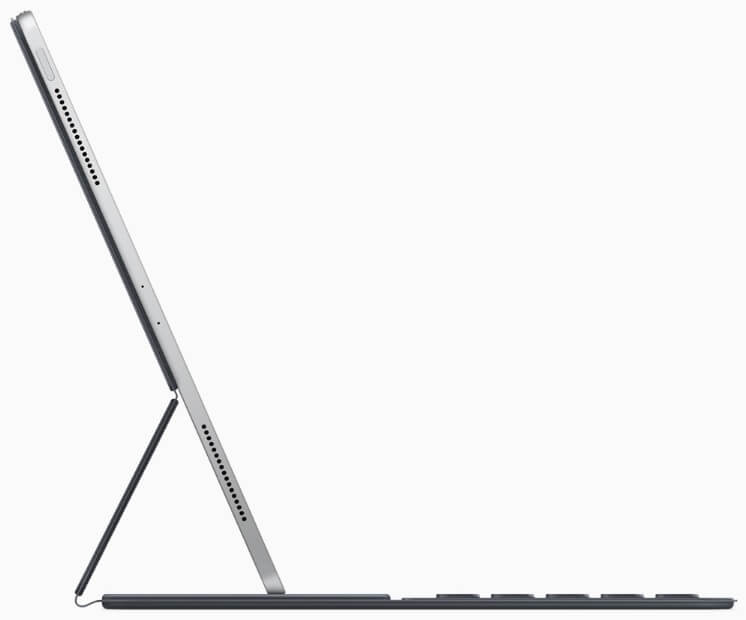
Apple’s iPhones may be subjected to fierce competition in the smartphone space, but when it comes to tablets, the company is still King! The new iPad Pro 12.9 takes the important cues from its predecessor – the iPad 11 Pro, but draws on myriad new improvements in terms of design and performance. iPad Pro 12.9 Inch Design The iPad Pro 12.9 Inch still features an imposing design just like the iPad Pro (1st generation) released in 2015, only this time around its because of its immersive display. Apple’s has blasted…
Read MoreHow to use Apple AirPrint with any printer
In short, Apple AirPrint is a tech that helps you get full-quality printed output without the need to download or install drivers. Straight from your iOS enabled device like iPhone or iPad. So it doesn’t matter whether you created a new Document using an App on your iPad or received a Document or image over email, and now you wish to convert the soft file into hard tangible printout, you don’t need to transfer your data to a Mac or PC. Apple AirPrint is the way to go. AirPrint supports…
Read MoreAll about Dark Mode on iOS 13
The Dark Mode IOS 13 is system-wide dark mode that has been introduced in iOS 13 release from Apple. The dark mode is similar to the mode that Apple brought to Mac in 2018. What does Dark mode do? The Dark mode is designed to be less harsh on the eyes. It makes sure that the backlight emitted from iPhone or iPad display does not give off a light that is harsh in low ambient lighting situations. While handling the lights emitted off the screen, Dark mode on iOS 13…
Read MorePlaying with Motion and Brightness sensors of your iPhone
Apple iPhone comes with numerous capabilities and most them can be customized depending on owner’s usage data fed into the phone processors by the sensors. Most of the iOS devices have sensors including Accelerometer, Gyroscope, Motion Sensor and Magnetometer, etc. iPhone being a pioneer of iOS based devices has several sensors to facilitate its users. In order to detect motion, iPhone has motion sensors. For screen orientation iPhone adjusts it for its users as per their requirement. Even to change the brightness iPhone uses it’s set of sensors by observing…
Read MoreHow to Send Files using Airdrop on iOS
Airdrop is a peer-to-peer function specific to iOS devices. The Airdrop works with any device that is designed by Apple which includes the iPhone, iPad and laptops/devices running Mac OS. It cannot function on Android devices because it is only specific to Apple iOS environment and facilitates to increase the speed of transferring files instead of sending them through email and other third party Apps. Airdrop makes it really easy for two iOS devices to communicate and share contacts, pictures, videos and files. How To use the Airdrop to transfer…
Read MoreApple iPad Pro 2018 - Complete Review
By all means, the Apple iPad Pro 2018 is very rightly ‘Unlike’ anything or ‘everything’ Apple has ever made. The year 2018 has been the year of flagship-killers and towards the fag end, Apple has come up with a Laptop-killer and how! It has an Edge-to-Edge screen aka ‘All Screen’ (doesn’t look like it though) and has a thickness of paltry 5.9mm, that’s as thick as your Yoga mat! The iPad Pro 2018 just weighs over a pound and has smaller yet louder 4 stereo speakers. The awe-creator of a…
Read MoreiOS 12 Public Beta : should you update your iPhone?
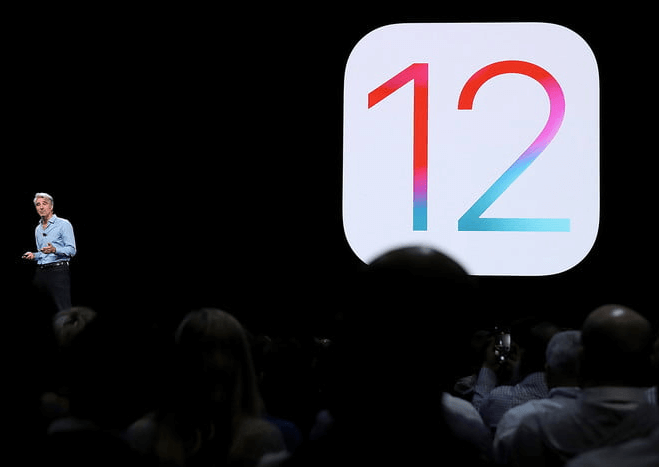
Ever since we listed iOS 12 as part of the Top 5 announcements at Apple’s WWDC 2018 event, we have been getting requests to talk about the latest upgrades that form part of the Apple iOS 12 release. Well, to start with, Apple initially only released Developer Preview of iOS 12 and now they came out with iOS 12 Public Beta. Meaning, now anybody who owns an iPhone (iPhone 5 SE or later) can have the taste of things to come in full fledged version of iOS 12 before it…
Read MoreHere’s why Apple products are not available cheap
“Why are Apple products not available cheap?” The Answer - “Coz you dont want it that way” “Why?” you might ask, “lets find out!” Total Control - Apple is perhaps the only tech company that controls almost all aspects of their Product in-house. Apple design their own products and have in-house R&D. On the manufacturing front, they source materials themselves and the manufacturer (The Assembler) works under tight supervision. On sales front, they have their own Sales, Service and Training Centres. So whatever the margins made at every stage, are…
Read MoreTop 5 iOS 12 features
The Apple of an “i”, the iOS 12 has a some game changing features and a couple of cool features and there are some ‘catch-up’ features too. Here are the Top 5 features of the iOS12 on the iPhone: Support for Legacy iDevices : This is the single best feature of the iOS 12. Apple has realised the pain of older iDevice owners. Apple have continued support for devices like the iPhone 5S and later, iPad Mini 2 or later and iPad Air and later. So the users of legacy…
Read MoreTop 5 at Apple WWDC 2018
So Apple gave a round-up on their latest and greatest Software offerings / announcements at WWDC event held at San Jose Convention Center, California. The event has been pretty much a gypsophila of things Great to Good things.Some are really groundbreaking like the advancements in AR (Augmented Reality) while others are merely a catch-up play with the competition. And there is the third category where Apple isn’t doing either of the two options, it is allowing Third-Party Apps to do the needful e.g. allowing Google Maps to run on Apple…
Read More5 most addictive iPhone games of 2016
If you’re the phone hugger types, these 10 most addictive games on iPhone would definitely not let you put your iPhone down: 5. Crossy Road An all time favourite which holds to be good companion whenever you’re getting bored. More often while you are waiting for your bus, train or friend at a mall. 4. Ridiculous Fishing A good wrist exercise, Tilt your phone w=and lower your fishing hook, catch as many fish as possible. Avoid predators like jelly fish, they suck your prize catch away. Use hilarious items on your…
Read More