Planning to build a healthcare app? Consider reading this piece on how to make a medical app. See, the world is moving towards modernized solutions, allowing users to get the most out of their devices, software, and apps. The same is the case with the medical industry. Back in the day, there were blood pressure monitors, EKG machines, and whatnot. But, now, that thing has evolved into something no one expected. With a touch of a finger, you can get essential information related to your health metrics. And honestly, these…
Read MoreTag: ipad
Top 5 Reason Why You Need a KeyLogger for Your iPhone
Keystroke logging is the action of recording the keystrokes that are input on a keyboard, typically covertly so that the person using the keyboard is unaware that their actions are being monitored. 1. To know what your kids are doing online: 2. To know whom your employees are communicating with: 3. To know what your spouse is doing on their phone: 4. To find out how much time they spend on social media: 5. To monitor internet usage for business purposes iPhone Key Logger and Why do You Need One?…
Read MoreGoogle Maps Tips to Get the Most Out of Your Next Trip
Google Maps has been around for years and remains in the Top spot. It is the most used map app in the world, and you can use it on Android OS and iOS devices. There are many reasons why people love Google Maps, but here are some of the main ones: - It’s free - You can easily share locations with friends or family - You can see traffic conditions before you decide on a route - It has voice navigation so you don’t have to take your eyes off…
Read MoreSetup TV With AirPlay – This is what professionals do
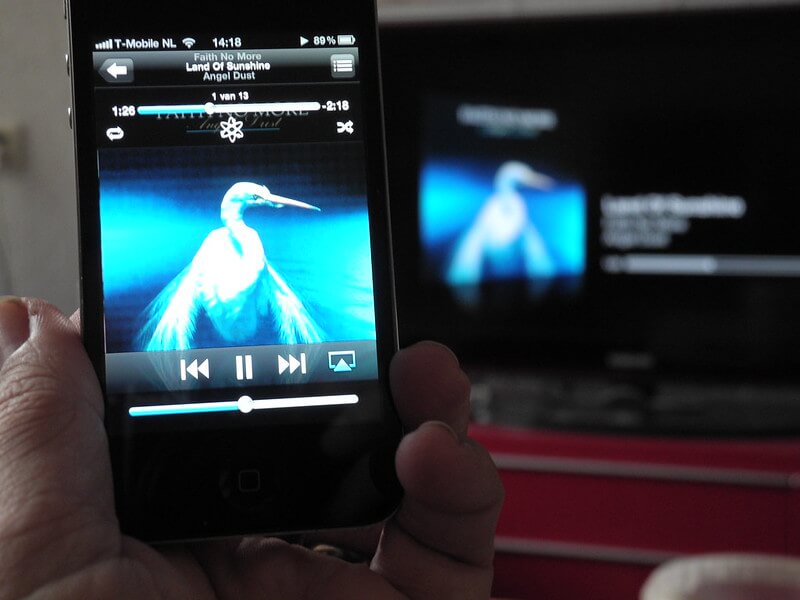
AirPlay is a wireless streaming technology that allows you to stream audio and video from your Apple device on your TV. AirPlay is an Apple-exclusive technology, so you will need an Apple device to use it. The first thing you need to do is ensure that the TV and the Apple device are on the same Wi-Fi network. Next, open up the Settings app on your iOS device, then select “General,” followed by “AirPlay.” You should see a list of available devices appear on the screen. Select your TV from…
Read MoreDiscovering the Apple M1 chip
Since the computers have made its way to the masses, intel has been the leading and only brand in its category for providing the brains for these machines. Its dominance was unparalleled and unmatchable. It crushed the sales figure. Breaking its own sales record year after a year. The introduction of multi-core and hyper-threading changed the game for intel. Later some other brands came along and tried to catch up, still to date, that effort is being made by various other brands. To name a few, AMD, QUALCOMM, and different…
Read MoreApple iPad Pro 2018 - Complete Review
By all means, the Apple iPad Pro 2018 is very rightly ‘Unlike’ anything or ‘everything’ Apple has ever made. The year 2018 has been the year of flagship-killers and towards the fag end, Apple has come up with a Laptop-killer and how! It has an Edge-to-Edge screen aka ‘All Screen’ (doesn’t look like it though) and has a thickness of paltry 5.9mm, that’s as thick as your Yoga mat! The iPad Pro 2018 just weighs over a pound and has smaller yet louder 4 stereo speakers. The awe-creator of a…
Read MoreTop 5 iOS 12 features
The Apple of an “i”, the iOS 12 has a some game changing features and a couple of cool features and there are some ‘catch-up’ features too. Here are the Top 5 features of the iOS12 on the iPhone: Support for Legacy iDevices : This is the single best feature of the iOS 12. Apple has realised the pain of older iDevice owners. Apple have continued support for devices like the iPhone 5S and later, iPad Mini 2 or later and iPad Air and later. So the users of legacy…
Read MoreTop 5 features - iOS 11
While we have been covering latest updates and features in OS across platforms, Of-late however, these upgrades come more in numbers rather than actual major updates. There are Small updates and there are Big updates. Most of the Smaller updates contain a few bug fixes and few added features. This is not what the latest Apple iOS 11 update is about. Its about bringing in a new approach in iOS user interface. Developers have put in their hearts and souls in the latest iOS update. They have gone far and taken…
Read MoreSome Amazing facts about Apple
Initially Apple laptops had the glowing Apple logo upside-down when the laptop lid is open. Later during 1990’s it was flipped so as to look better in Hollywood movies. The idea initially was that the Apple logo should be facing the right way so that people would attempt to open it from the right side. The Apple-I first sold for $666.66. Apple co-founder Steve Wozniak has said that it was simply because he liked repeating numbers and when the price worked out at $667 he changed it to $666.66 because it was…
Read MorePutting your iPhone for overnight charging? Just do it
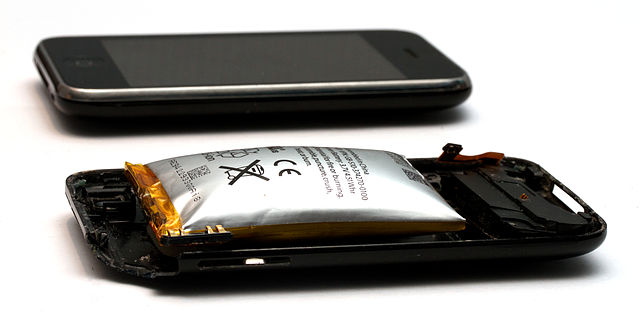
Nope, charging your iPhone overnight will not affect its battery life. Myth: Leaving your iPhone overnight on charging will harm your battery life as the charger will keep pushing electricity into an already full battery. It will cause the phone to overheat and reduce life of its internal circuitry too. Truth: Overnight charging does not harm your iPhone in any way. iPhone’s hi-tech circuitry in Lithium-Ion battery (for that matter 90% of other phones too have Li-Ion batteries) has a charging circuit that cuts off charging power when the battery reaches 100%.…
Read MoreHow to Recover from forgotten Passcode for iPhone or iPad or a Disabled iDevice
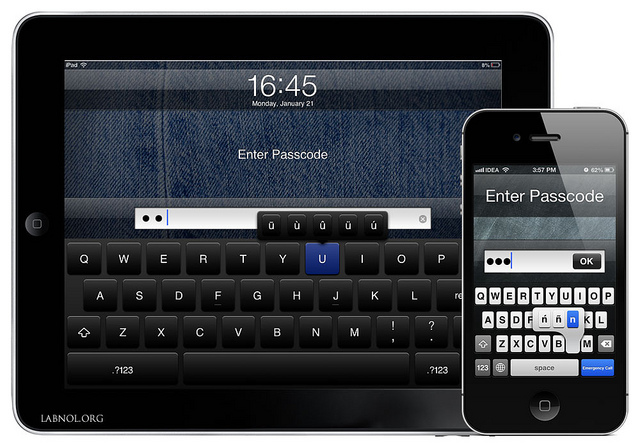
Lets face it, if you forgot your Apple iPad or iPhone passcode, you don’t deserve the Apple device you have. Apple puts in a lot of time and effort on device security both internal and external. The 4 digit or 6 digit passcode verification system and also the fingerprint sensor system is an added security feature for the user. The security feature saves your personal data, chats, browsing history, login passwords from misuse by anyone other than the device owner. Hence data retrieval is next to impossible, however you can…
Read MoreCost to develop an Apple iOS App for iPhone or iPad
An App is like manifestation of your Product or service on your customer / user’s handheld device. And as your business revenue streams rely on your software manifestation in the user’s device, sky is the limit for investing in your App. As the App is developed, its features decide its budget. It is like more sugar you add, sweeter your offering will get. Say for example, the owner of this Blog wants to get an app for the blog. He already has his blog posts ready but needs to decide…
Read MoreHow to transfer music between iPhone and iPad
Mobility in Music dates back to the early voyages of civilized Human Beings who used to carry their music instruments to keep themselves entertained. Enter the Walkman, personal music in modern day used to travel with the listener. Nowadays it is pleasure on the run. With growing multiplicity in gadgets, you would want to have all your favorite tunes to be available across all your devices. iPhone owners would want to have their music available on iPad too and more so, it should not be a hassle maintaining their music…
Read MoreBoost iPhone battery life
There are more than one ways to extend battery life of an Apple iPhone and for that matter the Apple iPad too. Here are the most sure-shot ways to boost battery life of iPhone or iPad. First and foremost, make sure that your iPad or iPhone is updated to latest iOS version. Go to ‘Settings > General > Software Update’ and find out if your Software version is up-to-date. If you are not an avid 4G LTE / 3G user and think that you can manage with 2G / EDGE…
Read More